Quick Sheet Navigation
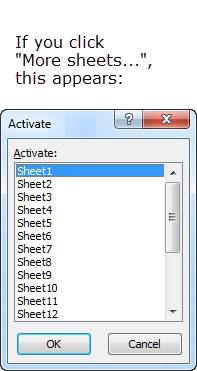
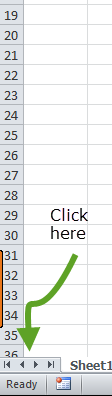
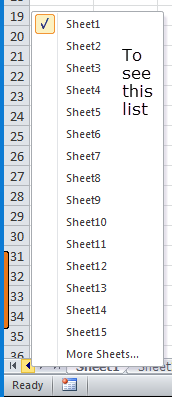
If you have many worksheets in your workbook, getting to a particular worksheet can be difficult. If you right click on the small tabs at the bottom left of Excel, a small dialog appears, showing up to 15 sheets. Clicking on any one of these will take you to it immediately. If you have more sheets, clicking on the "More Sheets..." menu item will display a dialog of all your worksheets:
 ⇒
⇒
 ⇒
⇒