How to Open and Use our Products
How to use
When you open Excel after installing any of our products, you will find one or more new tabs added to the Excel ribbon. To use our products, just click on a tab and then click on the product you want to use.
How to learn to use
Every one of our add-ins has an exercise and help workbook. Each such workbook contains help on how to use it and many hands-on exercises. The hands-on exercises give you practical experience with step-by-step instructions that make learning simple. To open this help workbook, look for a How to Use button on the add-in’s main dialog or menu and click on it. The following illustrates the typical location:
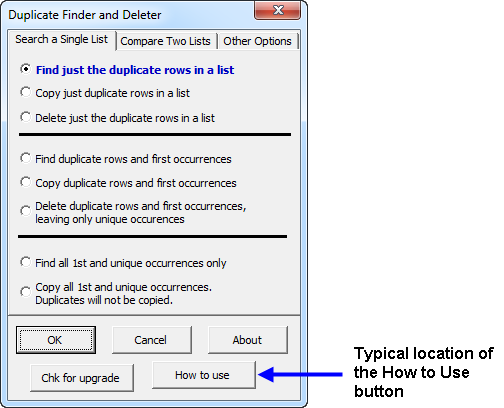
If you purchased the Spreadsheet Assistant, click on the new “Assistants” tab and select the “How to Use” button on the right side of all the buttons.
Doing the exercises typically takes 5–10 minutes and gives you a great understanding of how to use an add-in.
Visitors who viewed this page also viewed
- How to Contact Us — Contact via email and phone support
- Product List — View all our add-in Excel products
- Support — Information on assistance and other forms of support