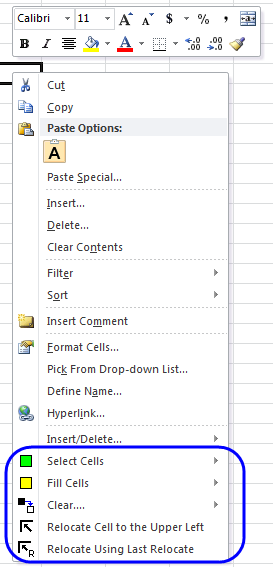
Displaying Context Menus by Right Clicking
One of our favorite editing shortcuts is to use the context menus. Using the context menu saves clicking around on the tabs to find the command that is often immediately displayed on a context menu. A context menu appears when you right click on:
- A cell or range
- A selected column
- A selected row
- Any object on a chart
- The chart itself
- Sheet tabs
- The status bar
The following is the context menu that appears when you right click on a cell or range. We have circled the context menu additions of the Spreadsheet Assistant: