Address Assistant
Split and combine address data into columns.
An add-in for Microsoft Excel that hides the columns you don't need so you can focus on the ones you do.
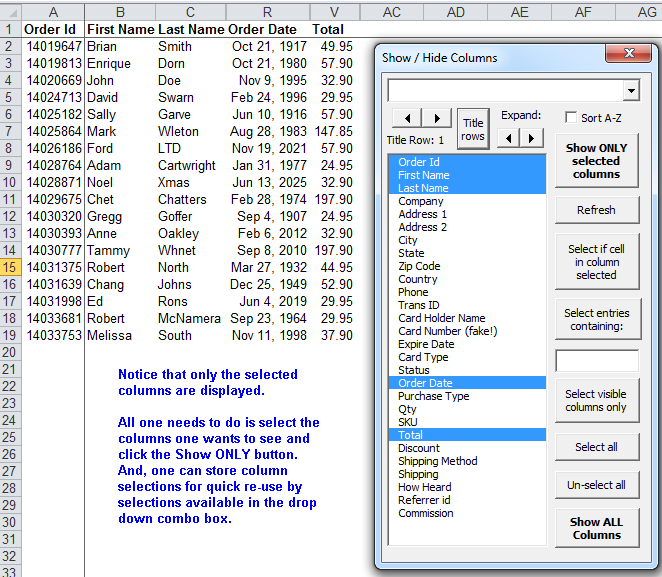
The Hide Columns Assistant add-in for Microsoft Excel hides columns you don’t need to look at so that your focus is on the columns you do need to look at. It is compatible with Microsoft Excel 2010-2021 and Office 365.
The key benefit of the Hide Columns Assistant is hiding the columns you don’t need to look at so you can easily focus on the columns that you do need to look at.
The entries in the box are the column headings. You can set a title row, or use the “Set Title Rows” button to specify multiple rows as the title rows.
To display just the columns you want, simply click on them in the list. When done selecting, just click the “Show Only Selected Columns” button.
One of the neat features is that the Hide Columns Assistant remembers your last selections for a sheet. And you can use the dropdown box to create quick selection entries, letting you quickly switch between column views with just a click or two.
Split and combine address data into columns.
Clean and standardize spreadsheet data.