Data Cleaner
Clean and standardize spreadsheet data.
An add-in for Microsoft Excel that finds, lists, and changes hard to find external links.
The Link Finder add-in for Microsoft Excel quickly and easily finds hard to find external links to other workbooks. It is compatible with Microsoft Excel 2010-2021 and Office 365.
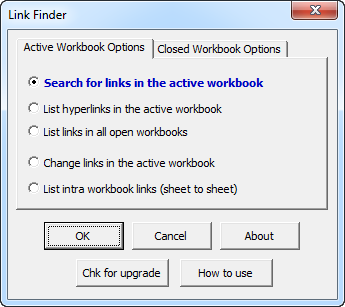
The Link Finder can even find and modify links in closed workbooks. Many companies use it when they move Excel users from one server to another. The following is the starting dialog and indicates many of the options available to the user.
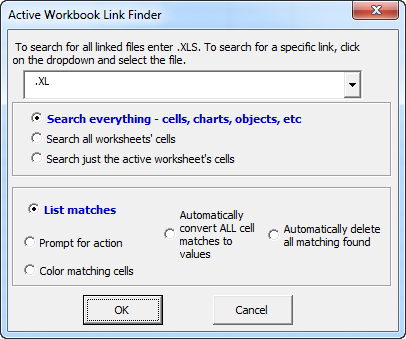
The drop down box allows you to select any external linked workbook or to type in all or part of a workbook's name to find related links. If you have links that you can't find, you can find them with the Link Finder. You can also delete them either automatically or on a case by case basis.
The Link Finder also creates reports that list the external links in the active workbook and in any closed workbook.
Please note that the license agreement on the Link Finder is per user who benefits. If used to modify links in workbooks belonging to other users, a license is needed for each such user. Site licenses are available.
“A license is required for each person who uses or whose workbooks are examined or modified from the use of the Link Finder. For example, licenses are required for every person whom a support person uses this software to find or fix links for. If only a single license is purchased it may only be used to find or fix links in that person's files.”
Clean and standardize spreadsheet data.
Split and combine address data in Excel.