List Assistant
An add-in product for Microsoft Excel.
- Easily re-arrange rows or cells.
- Move rows or cells up or down or anywhere with just one click.
- Insert or delete rows without having to select the entire row.
- Move cells or rows anywhere, any sheet, any workbook.
The List Assistant add-in for Microsoft Excel is the easy way to re-arrange rows in your worksheet. It is compatible with Microsoft Excel 2010–2021 and Office 365.
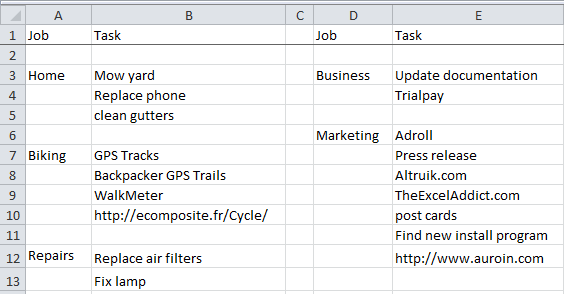
The List Assistant menu can be displayed by clicking on its ribbon tab button or by adding it to Excel’s quick access toolbar. If you need to use the row or cell buttons frequently, you can use the first two options on the List Assistant menu to display floating toolbars. These floating toolbars are workbook specific — if you change workbooks, they will disappear.
Dropdown menu and floating toolbars


Manage your to-do lists
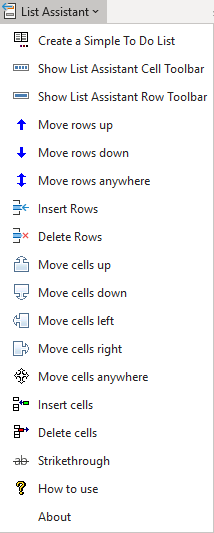
Our favorite use of the List Assistant is to manage our to-do lists. We have jobs and tasks across several columns in Excel and frequently move cells up or down or insert or delete cells. The List Assistant buttons to move cells or insert and delete cells make this easy to do.