Copy Move Assistant
Copy or move rows between worksheets with just a single click.
An add-in for Microsoft Excel that makes working with cell comments easy.
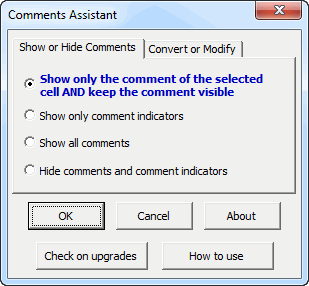
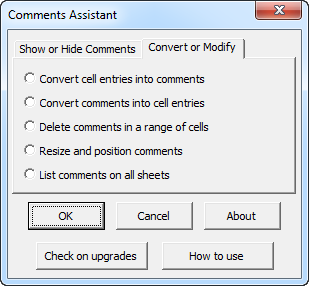
The Comments Assistant add-in for Microsoft Excel makes using comments on Microsoft Excel worksheets very easy. It is compatible with Microsoft Excel 2013-2024 and Office 365.
The first option on the Show or Hide Comments tab makes the comment of the selected cell always visible. The Excel setting when comment indicators are visible is to only show a comment when you hover the mouse over it. By having it displayed all the time the cell is selected, it is easier to read, and you can just click into it to edit it.
The features to convert cell entries to comments or to convert them back is very useful. One can convert to cell entries, easily edit, print, and then convert back to comments.
The feature “Resize and position comments” found on the second tab handles the problem of cell comments getting moved far away from their parent cell. With just a click, the comments are resized and repositioned next to their cells.
Copy or move rows between worksheets with just a single click.
Effortlessly re-arrange rows and cells.
Add over 200 time saving features to Excel.