Address Assistant
Split and combine address data in Excel.
A free add-in for Microsoft Excel that lets you create and display flash cards.
Latest release is 6.12, Dec 2, 2021. Compatible with Microsoft Excel 2010–2021 and Office 365.
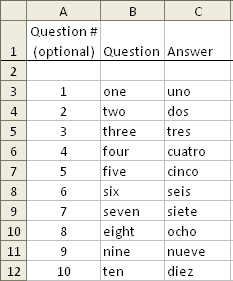
The Flash Card Assistant add-in for Microsoft Excel is an easy way to construct and display flash cards. It is compatible with Microsoft Excel 2010–2021 and Office 365.
The Flash Card Assistant is a free program — no purchase ever required, and no restrictions. You can construct flash cards very easily in Excel: just enter the questions in one column and the answers in another.
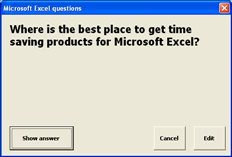
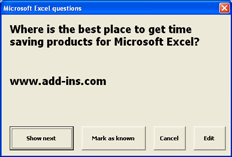
As you can see, it works just like physical flash cards: you look at one side and see a question, then the other side to see the answer. You can also have it display the answer first and see if you know the question.
The main dialog also gives options to number your questions, randomize the list, sort the list back into question-number order, and insert blanks every 10 rows.
You can create a new flash card list very easily — just select the “Create a new flash card worksheet” option on the main dialog, then fill in the questions and answers. Share lists with friends by emailing them the worksheet.
Split and combine address data in Excel.
Shift and rearrange words within cells.