CSV File Creator
Create CSV files the easy way.
An add-in for Microsoft Excel that lets you search up a list instead of down.
The Find Assistant add-in for Microsoft Excel helps you search up a list! The normal Excel direction is down, which makes it painful when you want to find the next matching search upward. It is compatible with Microsoft Excel 2013-2024 and Office 365.
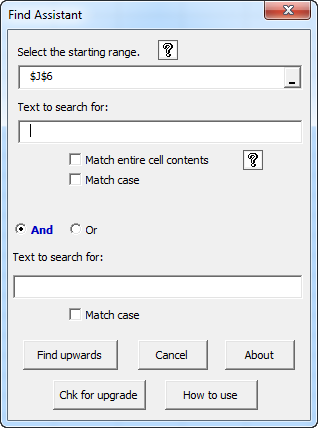
The main dialog of the Find Assistant lets you enter two search strings and find them anywhere in a cell:
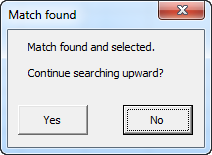
Once a match is found, the following dialog appears. You can edit cells while this dialog is on screen and then, when ready, click to continue the search. You can even change workbooks, do some work, and then click the Yes button to resume the search up the list!
The Find Assistant button is found on the new Time Savers tab. If you use it frequently (which we do!), just right click on it and add it to Excel's quick access toolbar for super fast access.
Create CSV files the easy way.
Quickly find and remove duplicates in one list or between two lists.
Eliminate tedious manual cleaning of data.
Easily split names into individual cell entries.
Shift words from one cell to the next with a single click.