Backup Assistant
Automatically backup files when you open them and before you modify them.
Part of the Spreadsheet Assistant add-in for Microsoft Excel.
The following is the Fill Assistants menu that appears when you click on the Fill Assistants button. Any of the features can be added to Excel's quick access toolbar for instant use any time.
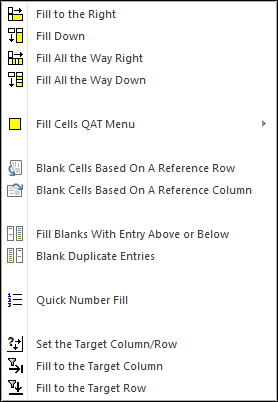
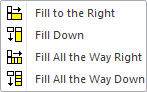
The first four features on the Fill Assistants menu let you quickly and easily fill cells down or to the right without first having to select the range to fill. These buttons may be added directly to Excel's quick access toolbar, or you may add instead the Fill Cells QAT Menu button, which expands into a sub-menu.
These are buttons we use all the time to fill right or down without the screen scrolling.
The Fill Blanks with Entry Above or Below feature is one that we have found very useful. Quite often we import data with blanks in the data to make it easier to read. Unfortunately, such blanks make the data unusable for filtering or with pivot tables. With this feature, one just selects the range with the blanks and cell entries and tells it to fill the blank cells!
Automatically backup files when you open them and before you modify them.
Create your own toolbar of buttons to quickly format cells and rows.
Quickly find and go to any column on a worksheet via a descriptive list.
See a list of the past 100 files you have opened and re-open any of them.
Move from sheet to sheet with ease. View a list of all your sheets with one click.
Extract rows of data into columns for easy review and printing.